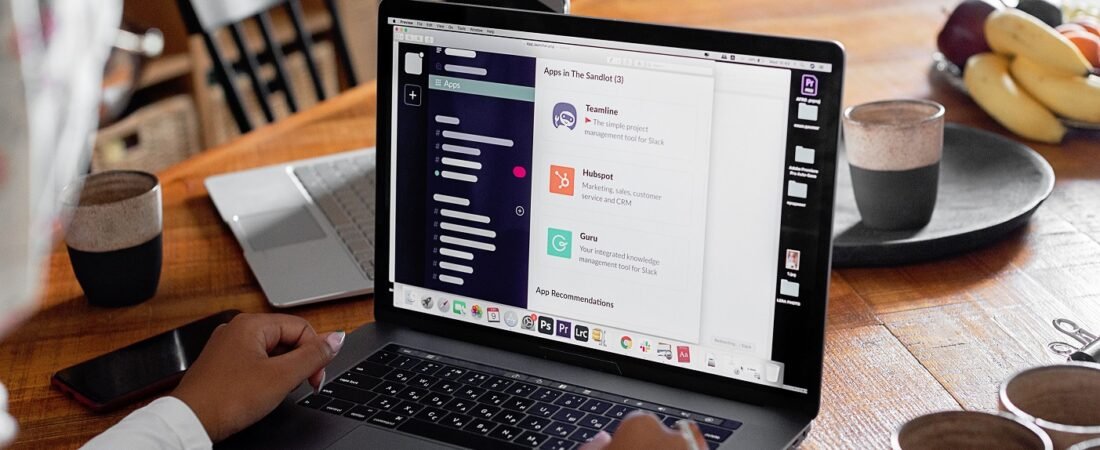
With the covid-era advent of hybrid and remote work architectures, chat tools like Microsoft Teams, Slack, and WhatsApp Web have replaced the traditional water cooler catch-ups. In fact, now more than ever, many corporate professionals spend more time inside chat channels than they do in their email inboxes.
However, because these tools “feel” casual, employees frequently slip into bad communication habits that drain team productivity and cause unnecessary friction. Chat tools, as another method of workplace communication, also shape the perception people form about each other. And like we very well know, organizations are about perceptions.
At the Corporate Skills Lab, we have analyzed workplace collaboration dynamics to upgrade traditional instant messaging protocols. Here is the modern guide to maintaining immaculate office chat etiquette without slowing down the team’s velocity, and creating lasting positive perceptions.
🔬 The Lab Report: 5 Rules of Modern Office Chat Etiquette
1. Blast through the “Hello Gap” (Instead send the context immediately)
The single biggest productivity drain in modern corporate communication is the standalone “Hi,” “Hello,” or “Hey” ping. When we send a bare greeting and wait for a response, we force the recipient to stop what they are doing just to type “Hi” back, creating an artificial delay.
- The Sub-optimal Approach:
- Ping 1: “Hey John” (waits few minutes)
- Ping 2: “Are you free?” (waits another few minutes)
- Ping 3: “Need the latest monthly report data.”
- The Lab Approach: Compress the greeting and core request into the very first message.
- Single Unified Ping: “Hi John. Could you please drop the link to the latest monthly report sheet when you get a second? Appreciate it.”
2. Synchronize with Availability Status of the other side
Modern collaboration tools have sophisticated presence indicators: Available, Busy, In a Meeting, or Do Not Disturb (DND), and many more. Treat these indicators as literal office door signs, similar to a restaurant putting up an “open” or “closed” sign.
- DND Wall: If someone’s status is set to Do Not Disturb or shows a focus icon, do not send a notification unless the office building is metaphorically on fire.
- The Buffer Rule: If someone is Busy or In a Meeting, type your full request but add a tag indicating low urgency (e.g., “Whenever you step out of your meeting…”). This allows them to triage their notifications without feeling immediate pressure to respond.
3. Calibrate your Text Tone & use of Emoticons
Because chat tools lack facial expressions and vocal inflections, text can easily sound cold or overly harsh. While we must keep our language always professional, completely stripping out visual cues can sometimes create accidental anxiety.
- The Balance: Limit emoticons to functional, universally accepted symbols. A standard smiley (😊) or a quick thumbs-up reaction (👍) to acknowledge a message is perfectly acceptable and accelerates response loops. Avoid chaotic, overly informal emojis or animated GIFs in cross-departmental or client-facing channels.
4. Honor the Permanent Official Record and Confidentiality Agreements
Never treat internal chat applications like a private text thread with a friend. These platforms are official, legally auditable enterprise communication channels.
- The Data Rule: Assume everything that is typed can be stored, reviewed, or pulled up by IT infrastructure or HR during auditing.
- The Confidentiality Barrier: Never drop highly sensitive personal information, client-privileged data, or internal office politics into a chat stream. If an interaction requires deep nuance or confidentiality, move it immediately to an encrypted secure channel or a live call.
5. Escalate to Calls or Meetings for High-Velocity Issues
Chat tools are built for asynchronous communication—meaning people respond when their workflow permits. If an emergency strikes or a project hits a dead end, stop typing.
- The 3-Ping Rule: If an issue cannot be resolved within three rounds of back-and-forth texting, the channel has failed. Pick up the phone or launch a huddle/quick call. A two-minute voice conversation solves what a 40-minute fragmented chat thread elongates.
Also read Async vs Sync communication to make the right choice of communication medium.
🧪 The Lab Report Summary: Chat vs. Email Quick-Guide
|
Dimension |
📧 Corporate Email |
💬 Office Chat (Teams/Slack) |
|
Response Expectation |
4 to 24 Hours |
Asynchronous, but ideally within 1 to 2 hours |
|
Structure |
Formal, Header, Body, Sign-off |
Crisp, action-oriented, compressed blocks |
|
Best Used For |
External/Internal communication, formal sign-offs, documentation |
Quick alignments, rapid checks, team collaboration |
Office Chat Etiquette is a move beyond the basic do’s and don’ts, and establishes the right impressions on our peers and leaders alike. This further helps in getting good work opportunities and corporate success in the long run.
As an Amazon Associate, we earn from qualifying purchases at no extra cost to you.