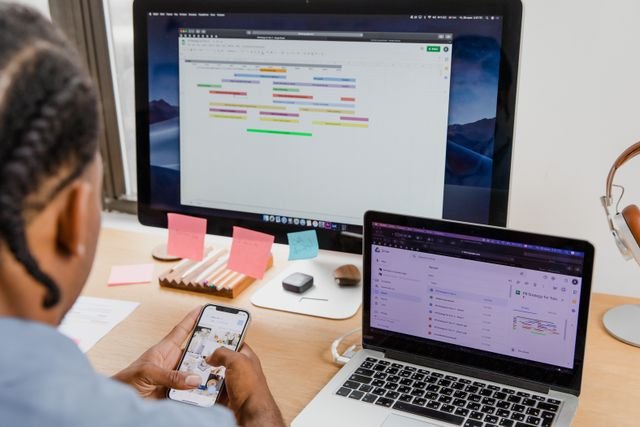
The rapid shift into hybrid and remote work has permanently changed the day-to-day workflows. While digital collaboration software makes working from anywhere highly convenient, it has also introduced a serious challenge: virtual meeting fatigue. Many of us fall into the trap of endless video calls or constant chat pings, which destroy daily focus and cause burnout.
A common error is using a highly disruptive communication tool for a minor task. Teams frequently schedule a 30-minute video call for an alignment update that could easily be handled with a clean, three-line ping or email. Conversely, typing long, complex technical explanations in instant chat creates text clutter and communication delays. True professional efficiency relies on mastering the balance between async vs. sync communication. Learning which media channel fits your message is an essential power skill that protects your cognitive energy and accelerates project execution.
At the Corporate Skills Lab, we treat communication design as a science. Here is the framework to choose the correct digital tool, eliminate notification anxiety, and protect team productivity.
🔬 The Lab Report: 3 Rules for Choosing the Right Channel
- Define the Boundary: Async vs. Sync
To eliminate virtual fatigue across your team, you must understand the functional difference between the two communication categories:
- Asynchronous (Async) Communication: Sending information that does not require an immediate, real-time response. This includes emails, document comments, and instant messaging pings. Async gives the recipient the freedom to process the data, focus on deep execution, and reply at a predictable cadence [also read office-chat-etiquette].
- Synchronous (Sync) Communication: Real-time, live interaction where all parties exchange thoughts simultaneously. This includes voice huddles, video meetings, and face-to-face reviews. Sync is highly powerful, but it requires stopping active execution [also read calendar-invite-etiquette].
- Apply the Urgency-and-Complexity Filter
Never schedule a meeting or send a notification based on convenience alone. Before choosing a media tool, pass your task through a complexity filter:
- Low Complexity / Low Urgency ➔ Use Async Chat (Slack/Teams): Ideal for brief status confirmations, minor project queries, or casual team checks.
- High Complexity / Low Urgency ➔ Use Async Email: Perfect for formal project documentation, deep data distribution summaries, or sharing a status update across multiple time zones.
- High Complexity / High Urgency ➔ Use Sync Video/Voice: Necessary for first introductions, sensitive problem-solving blocks, client-facing negotiations, or dealing with an immediate server crash.
Also read [art-of-status-update-communicate-progress].
- Standardize Response and Delay Settings
A major cause of digital anxiety is the pressure to reply to an async text ping or email within a few minutes, which destroys focus. Organizations or teams can establish clear, baseline guidelines: instant messaging updates require a reply within 2 hours, while emails require a reply within 24 hours. Also, use the “Schedule Send” function built into your communication tools. If a strategic thought occurs late at night, queue it to land in your colleague’s inbox the following morning to respect their personal boundaries.
📊 The Communication Mode Choice Matrix
|
The Task / Scenario |
The Wrong Tool Choice |
The Correct Tool Choice |
The Lab Reason |
|
Weekly Progress Tracking |
30-Minute Video Sync ❌ |
Structured RAG Email 🟢 |
Saves hours of cumulative team execution time. |
|
File Access Request |
Quick Phone Call ❌ |
1-Sentence Chat Message 🟢 |
Prevents immediate focus disruption for the recipient. |
|
Resolving a Misalignment |
Long Slack Text Debate ❌ |
5-Minute Voice Huddle 🟢 |
Clears up technical roadblocks instantly without text confusion. |
|
Complex Project Launch |
Bulleted Chat Thread ❌ |
Video Call + Agenda 🟢 |
Builds deep professional trust and ensures clean stakeholder alignment. |
🧪 The Lab Report Summary: The Energy Filter
Balancing async vs. sync communication channels is a clear sign of professional maturity and high emotional intelligence. By substituting low-value video huddles with clear async documentation, respecting notification delays, and matching messages to the correct platform, you protect your collective office focus. Before sending your next meeting invitation or ping, run this final verification: Can this topic be resolved through an async text, or does it truly require a live, real-time sync? Choosing the right medium saves your energy, keeps your work excellent, and builds an efficient workspace environment.